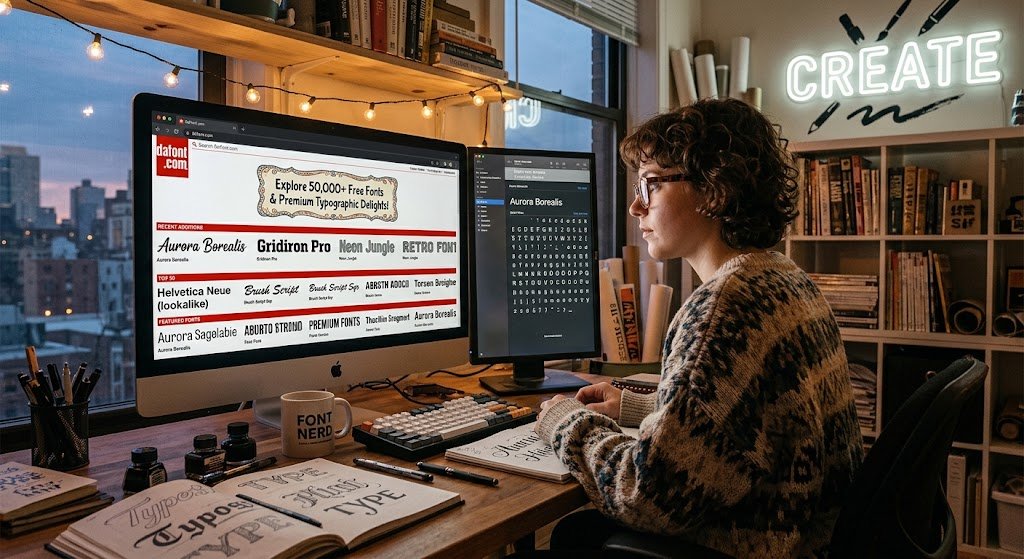

Finding the perfect font can completely change the look and feel of a design project. Whether you are creating a logo, YouTube thumbnail, website design, invitation card, social media post, or branding material, typography plays a major role in how people perceive your work. DaFont.com has become one of the most recognized online platforms for discovering thousands of creative fonts across different styles and categories.
Unlike traditional font marketplaces that focus mainly on premium typefaces, DaFont.com offers a massive collection of downloadable fonts created by independent designers from around the world. Users can explore styles ranging from elegant scripts and handwritten fonts to horror, gaming, retro, cartoon, and futuristic designs.
However, downloading a font is only the first step. Understanding font licenses, choosing the right typography style, and using fonts professionally are equally important. This guide explains how DaFont.com works, how to download fonts safely, what categories are available, and how designers can get maximum value from this popular typography resource.
What Is DaFont.com?
DaFont.com is an online font archive where users can browse, preview, and download thousands of fonts for creative projects. The platform works as a directory where font creators share their typefaces with the design community.
The website organizes fonts into multiple categories, making it easier for users to discover styles based on their project requirements. Instead of searching randomly across the internet, designers can filter fonts according to visual themes, popularity, or recent uploads.
Some popular font categories include:
- Fancy fonts
- Script and calligraphy fonts
- Handwritten fonts
- Comic fonts
- Gothic and medieval fonts
- Retro fonts
- Techno and futuristic fonts
- Pixel and gaming fonts
- Holiday-themed fonts
- Logo-style decorative fonts
The simple interface is one reason many beginners and professional designers continue using the platform.
Why Is DaFont.com Popular Among Designers?
The popularity of DaFont.com comes from its accessibility. Designers, students, marketers, and content creators often need unique typography without spending large amounts on premium fonts.
Several factors make the platform useful:
1. Huge Collection of Creative Fonts
One of the biggest advantages of DaFont.com is the variety available. Users can find fonts for almost every creative purpose.
A wedding invitation may require an elegant script font. A gaming channel might need a futuristic or pixel-style typeface. A Halloween poster could require a horror-inspired design.
The platform covers these different creative needs through organized font categories.
2. Free Font Downloads
Many fonts available on DaFont.com can be downloaded without payment. However, “free” does not always mean unrestricted usage.
Font creators decide their own licensing conditions. A font may be:
- Free for personal use
- Donationware
- Shareware
- Public domain
- Demo version requiring a commercial license
Users should always check the license information before using fonts for business projects.
3. Easy Font Preview Feature
Choosing a font without seeing it in action can be difficult. DaFont.com solves this problem through font previews.
Users can enter custom text and compare how their words appear in different styles.
This feature is useful when designing:
- Brand names
- Logos
- Posters
- Merchandise designs
- Social media graphics
- Website headings
A font that looks attractive in a sample image may not always work well with your actual text.
How to Download Fonts From DaFont.com
Downloading fonts from DaFont.com is a straightforward process.
Follow these steps:
Step 1: Visit DaFont.com
Open the official website and browse available font categories.
Avoid downloading fonts from unofficial mirror websites because modified font files may contain unwanted software.
Step 2: Search for a Font Style
You can browse categories or search for a specific font name.
Popular searches often include:
- Logo fonts
- Gaming fonts
- Tattoo fonts
- Disney-style fonts
- Handwriting fonts
- Minimal fonts
- Professional fonts
Step 3: Preview Your Text
Before downloading, test your own words using the preview option.
Check:
- Letter spacing
- Readability
- Capital letters
- Numbers
- Special characters
A beautiful font is not always a practical font.
Step 4: Download the Font File
Most fonts are provided as compressed ZIP files.
After downloading:
- Extract the ZIP folder.
- Locate the font file.
- Install it on your computer.
Common font formats include:
- TTF (TrueType Font)
- OTF (OpenType Font)
How to Install DaFont.com Fonts on Windows and Mac
Downloading a font does not automatically make it available in design software. You need to install it first.
Installing Fonts on Windows
- Extract the downloaded ZIP file.
- Right-click the font file.
- Select Install.
- Restart design applications if needed.
Supported Windows versions can install fonts directly through the font file menu.
Installing Fonts on Mac
- Open the font file.
- Click Install Font.
- The font will appear inside Font Book.
- Applications can now access the font.
Understanding DaFont.com Font Licenses
One of the most important things users need to understand about DaFont.com is licensing.
A common mistake is assuming every downloadable font can be used commercially. That is not always true.
Before using a font for:
- Business logos
- Product packaging
- Paid advertisements
- Client projects
- Merchandise
check the creator’s license terms.
Common License Types Explained
Free for Personal Use
This usually means you can use the font for non-commercial projects.
Examples:
- Personal invitations
- School projects
- Hobby designs
Commercial License Required
If you earn money from a design using that font, you may need permission or purchase a license.
Examples:
- Brand identity
- Company website
- Product labels
- Marketing materials
Donationware Fonts
Some creators allow free use but encourage donations to support their work.
Best DaFont.com Categories for Different Projects
Choosing the right font category depends on your design goal.
For Logos and Branding
Recommended styles:
- Sans serif
- Minimal fonts
- Modern decorative fonts
- Elegant scripts
A logo font should be memorable but readable.
For Social Media Graphics
Popular choices:
- Bold display fonts
- Handwritten fonts
- Cartoon fonts
- Retro fonts
These styles help posts stand out in crowded feeds.
For Gaming Designs
Gaming projects often use:
- Pixel fonts
- Sci-fi fonts
- Futuristic fonts
- Gothic styles
These fonts create a strong visual identity.
For Invitations and Events
Suitable options include:
- Calligraphy fonts
- Wedding fonts
- Elegant scripts
- Handwritten styles
Typography can instantly create a premium feeling.
Is DaFont.com Safe to Use?
The official DaFont.com website is widely used for downloading fonts. However, users should still follow basic safety practices.
Recommended precautions:
- Download only from the official domain.
- Scan downloaded files if unsure.
- Avoid suspicious executable files.
- Check font licenses before professional use.
Font files themselves are normally not programs, but downloading from unofficial sources can introduce security risks.
DaFont.com vs Premium Font Websites
Premium font marketplaces usually provide professionally curated typefaces with complete licensing support.
Examples include:
- Adobe Fonts
- MyFonts
- Fontspring
- Creative Market
However, DaFont.com remains popular because it provides:
- Large variety
- Free options
- Creative experimental fonts
- Easy browsing
- Community-created designs
For professional branding projects, designers often combine free inspiration sources with licensed premium fonts.
Tips for Choosing Better Fonts From DaFont.com
A good font choice requires more than selecting the most attractive design.
Follow these practical tips:
- Match the font with your audience
- Prioritize readability
- Avoid using too many fonts together
- Check lowercase and uppercase characters
- Test the font at different sizes
- Review commercial licensing requirements
A simple, clean font often performs better than an overly decorative one.
Common Mistakes When Using DaFont.com Fonts
Many beginners make these typography mistakes:
Using Too Many Fonts
Combining five or six different fonts can make a design look unprofessional.
Most projects work best with:
- One primary font
- One supporting font
Ignoring Licensing
A free download does not guarantee commercial permission.
Always verify usage rights.
Choosing Style Over Readability
A creative font may look impressive but fail when users cannot read the message.
Design should balance personality and clarity.
Frequently Asked Questions About DaFont.com
1. What is DaFont.com used for?
DaFont.com is used for discovering and downloading fonts for different creative projects. Users can browse thousands of font styles including scripts, decorative fonts, gaming fonts, and handwritten designs.
2. Are fonts from DaFont.com completely free?
Not every font has the same usage rights. Many fonts are free for personal use, while commercial projects may require additional permission or licensing from the font creator.
3. Is DaFont.com safe for downloading fonts?
Using the official DaFont.com website is generally considered safer than downloading fonts from unknown third-party websites. Users should still avoid suspicious files and verify downloads.
4. Can I use DaFont.com fonts for my business logo?
It depends on the font license. Some fonts allow commercial usage, while others require purchasing a license or contacting the creator.
5. How do I install fonts downloaded from DaFont.com?
Download the ZIP file, extract the font file, then install it through your operating system’s font settings. After installation, the font becomes available in compatible design applications.
Conclusion: Should You Use DaFont.com for Your Design Projects?
DaFont.com remains a valuable resource for designers, marketers, students, and creative professionals who need unique typography options. Its large font library, category-based browsing, and easy preview tools make finding creative typefaces simple.
However, smart designers do not just download fonts. They evaluate readability, licensing, and project requirements before using typography in real-world designs.
If you are creating a personal project, exploring ideas, or looking for creative inspiration, DaFont.com can be an excellent starting point. For commercial work, always confirm the font license and respect the original creator’s rights.
The best next step is simple: explore different font categories, test your actual text, and choose a typeface that improves your message instead of distracting from it.